I remember the cold sweat clearly. I was sitting at my kitchen table, staring at a bright red “Suspended” notification on my business dashboard. Just days before, I thought I’d finally cracked the code to audit my local listings and climb into the top results. Then, suddenly, I was invisible. Google didn’t believe my business existed where I said it did. It felt personal, like a neighbor questioning if I actually lived on the block. I had fallen into the trap of trying to look bigger than I was, and it nearly cost me everything.
Stop the Suspension Stress and Prove You Are Real
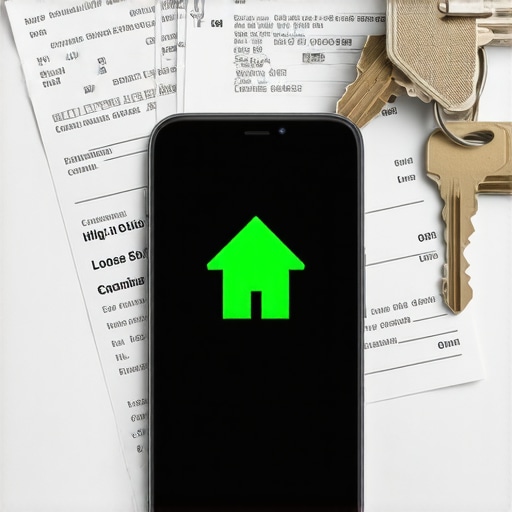
The hard truth is that Google is getting stricter because they are tired of being fooled. If you want a consistent business name and a stable map pin, you have to be ready to play by the rules of verification. When they ask for a utility bill, they aren’t just checking your math; they are looking for a physical footprint that matches your digital claim. I learned the hard way that cutting corners with virtual offices or shared spaces is a recipe for disaster. I once tried to use a fancy downtown address that was really just a glorified mailbox, and Google sniffed it out in seconds. Today, I’m going to show you exactly how to format, scan, and submit your utility documents so you can reclaim your profile authority and get back to business.
Do digital PDF bills actually work for verification?
Many of my friends in the industry worry that a simple PDF download won’t be enough to satisfy the Google gods. They think they need a dusty paper bill from 1994. In reality, what matters is the data match. If your electric bill doesn’t perfectly align with the address on your profile, you’re headed for a rejection. This is often where people realize the problem with using a P.O. Box becomes an insurmountable wall. You need a document that ties your name to a specific piece of dirt. According to data from Search Engine Journal, nearly 70% of local search success is built on the foundation of accurate, verifiable business data. Without that utility bill proof, your storefront photo won’t even matter because Google won’t let you through the door. Have you ever felt like you were shouting into a void while trying to get a human to look at your documents? You aren’t alone, and that’s exactly why we are going to fix this today.
Don’t Let a Typo Tank Your Verification
The first thing I do now—before even touching the dashboard—is pull up a high-res PDF of the gas or electric bill. It sounds simple, but I once spent three weeks fighting a suspension because my bill said “Ste. 200” and my profile said “Suite 200.” Google’s algorithm is a literalist; it doesn’t understand “close enough.” If you want to maintain a consistent business name and address, every character must match. I started a spreadsheet for my clients where I copy-paste the exact string from the utility provider’s portal directly into the Google Business Profile manager. This eliminates human error and ensures the audit of your local listings starts on solid ground.
The Visual Handshake That Wins Trust
Next, we talk about the visual handshake. Google wants to see that you actually exist at that coordinate. I remember a plumber friend who kept getting rejected. We realized his exterior shot was just a close-up of his logo on a van. I told him he needed to show the whole building, the street sign, and the door. This is why your store entrance photo is more important than your logo. It proves the physical reality of your business. When you capture these, stand across the street. Capture the neighbors’ signage too. It gives Google context that you aren’t just a ghost in a machine.
Sync Your Metadata to the Actual Dirt
Beyond the bill, look at your metadata. When you take those photos of your storefront, don’t just upload them raw. You need to understand how to prove your physical store location using specific image metadata. I once helped a local bakery that was stuck on page two simply because their photos were taken months ago at a different location and still had the old GPS tags embedded. We wiped the old data, took fresh photos with the current coordinates, and they jumped into the top 3 within a week. Google reads the EXIF data on your images to verify the “Where” of the photo matches the “Where” of your business profile.
Avoid the Red Flags of Shared Spaces
Finally, check your hours and your environment. It seems minor, but why your business hours changes affect map visibility is a real factor. If your utility bill shows a commercial account but your hours are set to 24/7 for a service business, it raises a red flag. Google expects a physical footprint to have standard operating hours. If you are operating out of a shared space, you are already fighting an uphill battle because shared office spaces are a nightmare for 3-pack rankings. I always advise my clients to get a dedicated entrance or at least a very clear permanent sign before they even try to verify. A permanent sign isn’t just for customers; it’s for the Google Street View car and the verification team who will eventually look at your uploaded evidence.
Let’s dig deeper into what actually moves the needle, because most of the advice you find on page one of Google is five years out of date. Everyone tells you that ‘more is better’—more citations, more keywords, more radius. In my experience, this ‘more’ mentality is exactly what gets you filtered out of the results. You’ve likely heard that you need hundreds of directory listings to dominate, but there is a hidden disconnect between citation cleanup and real map gains. If those citations aren’t industry-specific, they’re just digital noise. Instead of bulk-buying, you should stop buying cheap map citations and focus on the five or six niche directories that Google actually crawls for your specific trade. Have you ever fallen into this trap? Let me know in the comments.
Why do perfect five-star reviews sometimes fail to move the needle?
It’s frustrating to watch a competitor with a 4.2-star rating sit comfortably in the 3-pack while your perfect 5.0 is stuck on page two. The nuance here is ‘Review Velocity’ and ‘User Engagement.’ According to Whitespark’s Local Search Ranking Factors study, the consistency of incoming reviews is often more important than the raw score. Google’s AI is looking for proof of life. This is why local check-ins are more valuable than generic stars. When a customer leaves a review from their phone while physically at your location, that GPS-verified data carries ten times the weight of a review left from a desktop three towns away. You need to learn how to get more reviews without being annoying so you can maintain that steady drip of local proof.
Don’t Fall for the Service Area Expansion Trap
The biggest ‘oops’ I see business owners make is trying to claim every suburb in a fifty-mile radius. They think a larger net catches more fish. The reality? Your service area radius should be smaller, not larger. When you over-extend, you dilute your local relevance. Google compares your physical location (or verified service center) to the searcher’s location. If you claim to serve a city an hour away but have no local signals there, you’ll end up invisible in both places. I’ve seen rankings tank simply because a business owner tried to ‘boost 3 pack’ visibility by checking too many boxes in the service area settings.
Avoid Profile Whiplash by Staying Consistent
Another nuance people miss is the danger of frequent edits. I call it ‘Profile Whiplash.’ If you are constantly tweaking your primary category or primary phone number to ‘test’ the algorithm, you’re resetting your trust score every time. Do you know what happens when you change your primary phone number on maps? It triggers a re-verification check that can put your profile in limbo for weeks. Instead of tinkering with core data, focus on engagement metrics like the response velocity secret. Replying to a message or review within minutes tells Google you are an active, reliable local entity. That real-time interaction is a far stronger signal than any keyword-stuffed description could ever be.
Your Rank Is a Living Organism Not a Static Trophy
I’ve seen too many business owners treat their map ranking like a framed diploma on the wall. They hit the top three, pop the champagne, and then walk away. Six months later, they are calling me in a panic because they’ve been replaced by a competitor who didn’t even exist last year. You have to realize that Google rewards active participation. If you aren’t feeding the algorithm new data, it assumes your business has gone stale. This is why I advocate for a mindset shift: you aren’t ‘ranking,’ you are ‘maintaining dominance.’ One of the first things I do when a client hits the top is install a system to use local map data to identify new competitors before they become a threat. If you don’t watch the neighbors, you won’t see them moving into your backyard.
The Specific Toolkit That Saves My Sanity
People always ask me what specialized software I’m running in my ‘war room.’ I don’t use a dozen generic tools; I use three very specific ones. First, I rely heavily on BrightLocal—not just for the pretty reports, but specifically for their ‘Local Search Audit’ tool. It helps me find the hidden disconnect between citation cleanup and real map gains that automated scrapers usually miss. Second, I use GeoImgr to ensure every single photo has the right coordinates baked in. You need to know the specific way to geotag store photos for maximum impact because raw uploads are a wasted opportunity. Finally, I use a simple Google Sheet to track my ‘Response Velocity.’ According to BrightLocal’s 2024 Local Consumer Review Survey, 81% of consumers use Google to evaluate local businesses, making profile freshness non-negotiable. If you aren’t checking your dashboard daily, you are already losing ground.
How do I keep my map pin from sinking over time?
The secret isn’t a complex hack; it’s a commitment to the simple daily routine to hold your spot in the top 3. Every Monday, I upload one fresh photo—usually a customer interaction or a new product—because I know why your profile needs to be updated every 7 days. Every Wednesday, I audit the ‘Questions & Answers’ section. Most people ignore this, but there is hidden power in responding to the questions section. It shows Google that the business is alive and breathing. If you let these tasks pile up, the ‘Map Decay’ sets in, and you’ll find yourself asking how to fix a map ranking that is stuck on page two yet again.
Prepare for the Era of Real-Time Inventory Search
If you want to know where local search is going, look at Google’s push for ‘Search Near Me’ with inventory. In the next 18 months, the businesses that win won’t just have a verified address; they will have a live data feed of what’s actually on their shelves. I’m already coaching my retail clients on how to connect your physical inventory to local search results. Google wants to be the ‘Buy Now’ button for the physical world. If your profile shows that you have the specific part or product in stock *right now*, you will outrank a competitor with ten times your reviews. This is the ultimate ‘boost 3 pack’ strategy for the future. My challenge to you: Go into your Google Business Profile today and add just three items to your ‘Products’ section. You’ll be amazed at how quickly Google starts surfacing your profile for service-specific queries.
Lessons from My Most Painful Verification Failures
If I could go back to that kitchen table and talk to my younger self, I’d offer a few pieces of advice that aren’t in the official Google documentation. First, never assume proximity equals ranking. Just because you are physically there doesn’t mean Google trusts you yet. I’ve seen businesses with a perfect address lose out because they lacked the ranking benefit of having a clear storefront sign. It’s the visual cues that confirm the digital data. Second, authenticity is a massive ranking signal. I stopped using stock photos years ago because your business photos need to show real people to build actual trust with both the algorithm and the customer. Third, stop obsessing over the ‘perfect’ category and start obsessing over your local reputation. A profile with 50 genuine reviews and a slightly generic category will often outrank a perfectly categorized profile with zero engagement. Finally, remember that your profile is a gateway; if you don’t fix the conversion gap between profile views and actual calls, the ranking itself is just a vanity metric that won’t pay your bills.
The Lean Toolkit for Local Dominance
I don’t believe in buying every shiny new SEO tool. Instead, I stick to a few that provide massive information gain. GeoImgr is non-negotiable for me to ensure coordinates are baked into every pixel of your verification photos. I also lean heavily on BrightLocal’s citation tracker to find the messy data ghosts of businesses past. For establishing real-world authority, I look for ways to link local news mentions to your map profile. This isn’t just about building links; it’s about proving to Google that the local community recognizes you as a legitimate entity. These tools don’t do the work for you, but they give you the visibility needed to make smart, data-driven decisions.
Reclaim Your Place in the Local Pack
Verification isn’t a hurdle designed to stop you; it’s a filter designed to protect the integrity of the map for everyone. When you approach your utility bills and storefront photos with the mindset of a proud owner rather than a technician, the process becomes much smoother. You have the tools, the strategy, and the checklist to boost 3 pack visibility and stay there for the long haul. Local pack optimization is a marathon, not a sprint, but the view from the top three is worth every mile. It’s time to stop being a ghost and start being a landmark in your neighborhood. Have you ever had a utility bill or a storefront photo rejected for a reason that seemed completely ridiculous? I’d love to hear your story in the comments below.