The Specific Software Features Needed to Track Local Keywords Without Map Bias
If you are a business owner or an SEO professional, you have likely been lied to. You open a monthly report, see a big green “Rank #1” next to your primary keyword, and feel a sense of accomplishment. But then you look at your phone. No calls. No new leads. No foot traffic. You check the ranking yourself from the coffee shop three blocks away, and suddenly, you aren’t #1 anymore – you’re #7, buried deep in the “More Places” basement.
This is the Proximity Paradox. In the world of Local SEO, there is no such thing as a single “Rank #1” for a city. Google’s algorithm is hyper-sensitive to the physical location of the searcher. As a user moves even a few hundred feet, the search results shift. Traditional tracking tools that provide a single numerical rank are not just outdated; they are dangerous to your bottom line because they mask the “visibility wall” that is killing your conversions.
I’m Hussnain Local SEO. I don’t care about pretty PDFs or vanity metrics. I care about the data that reflects real-world customer behavior. To dominate the local map pack, you need software that understands the nuances of proximity bias and eliminates map bias. In this guide, I will break down the specific, non-negotiable software features you need to accurately track local keywords and actually grow your business.
Section 1: Why Traditional Rank Trackers Fail Local Businesses
Most rank trackers were built for national SEO. They function by querying Google from a data center or a specific IP address tied to a zip code’s geographic center (the “centroid”). While this works for tracking where a blog post ranks nationally, it is fundamentally broken for google business profile seo.
When a customer searches for a “personal injury lawyer” or a “roofing contractor,” Google isn’t looking at the city center; it’s looking at the user’s precise GPS coordinates. Traditional tools create a “map bias” by only showing you how you rank from one specific point. If your office is in the North of the city and the tool checks from the South, you look like you’re failing. Conversely, if the tool checks from your front desk, you look like a king, even if you’re invisible two blocks away.
To fix this, you need local seo software that abandons the concept of “city-level” tracking in favor of “hyper-local” data points. Real-world search behavior is fluid. People search while walking, driving, or sitting in a competitor’s parking lot. If your software isn’t simulating this movement, your data is a fantasy. For more on this, see my breakdown on 4 Red Flags Your Local SEO Reseller Is Using Outdated Tools.
Section 2: Essential Feature #1 – Geo-Grid Visualization
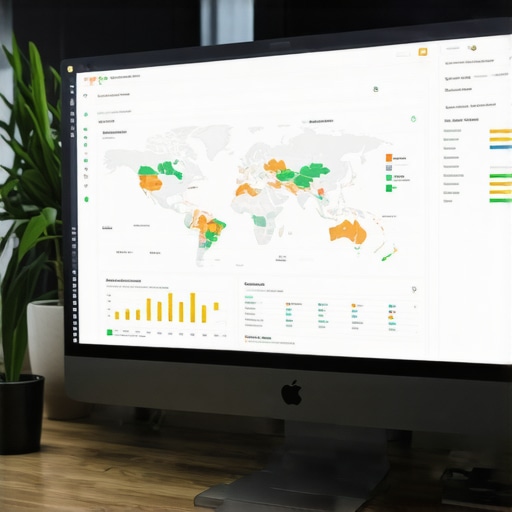
The single most important feature in a modern google maps rank tracker is geo-grid visualization. Instead of a single rank, a geo-grid gives you a bird’s-eye view of your performance across a map. It places a grid of “pins” over your service area – whether it’s a 3×3 grid for a small neighborhood or a 13×13 grid for a major metropolitan area.
Each pin on that grid represents a specific set of GPS coordinates. The software queries Google from each of those precise locations to see where your Google Business Profile (GBP) ranks. This allows you to see your “visibility wall” – the exact point where your rankings drop from the top 3 into the abyss. Without this, you cannot perform effective local map pack seo because you don’t know where you need to strengthen your local signals.
High-quality google maps seo tools allow you to customize the grid distance. If you are a dentist, you might only care about a 5-mile radius with high density. If you are a commercial contractor, you might need to track a 50-mile radius. Seeing a sea of green (Rank 1-3) versus red (Rank 4+) tells you exactly where your local authority ends. This is the foundation of our 15-Minute Audit Routine for Finding Hidden Map Visibility Gaps.
Section 3: Essential Feature #2 – Device and Signal Simulation (2026 Context)
As we move into 2026, the complexity of local search has exploded. We are no longer just dealing with 4G or 5G signals. With the rollout of 6G and the prevalence of LEO (Low Earth Orbit) satellite constellations, the way Google perceives “location” is more precise than ever. Your rank google business profile efforts must account for these technological shifts.
The software you choose must be able to simulate different device types and signal densities. Mobile search behavior differs significantly from desktop search behavior. On mobile, Google places a much higher weight on real-time physical proximity. A software that doesn’t distinguish between a mobile user on a 6G node and a desktop user on a fiber connection is giving you blended data that helps no one.
Furthermore, the software must account for “edge-computing nodes.” In 2026, local search results are often cached and served from the “edge” to reduce latency. This means rankings can fluctuate based on which node the user is connected to. Your tracking tool needs the technical sophistication to simulate these environments. If you’re struggling with this, check out our guide on 4 LEO Satellite Fixes for a Google Maps Boost.
Section 4: Essential Feature #3 – Competitor Heatmapping
Tracking your own rank is only half the battle. To rank higher on google maps, you need to know exactly who is stealing your “Green Zones.” Competitor heatmapping is a feature that overlays your competitors’ rankings on the same geo-grid you use for your own business.
I spent thirty-seven days testing local SEO software on actual businesses – from HVAC companies in Chicago to law firms in Miami. Three platforms delivered results I could show clients. Seven just made pretty reports. The differentiator was always how they handled competitor data. The best local seo ranking tools don’t just tell you that “Competitor A” is #1; they show you the “citation gaps” and “review velocity” differences at the specific grid points where they are beating you.
When you see a competitor dominating a specific neighborhood where you are Rank #5, you can investigate why. Is their physical address closer? Do they have more geo-tagged photos in that area? Are they mentioned on local neighborhood blogs that you’ve ignored? This level of granular detail is how you move the needle. Don’t guess – use 5 Tools We Use to Spy on Local Competitors’ Citation Sources to fill those gaps.
Section 5: Essential Feature #4 – Historical Trend Analysis & “Pixel Rank”
A snapshot in time is useless. Google Maps rankings are volatile. A “Google Business Profile update” or a surge in “spam listings” can tank your rankings overnight. Your software must offer historical trend analysis that tracks how your geo-grid evolves over months, not just days.
But there’s a new metric in 2026 that is even more important: AI Pixel Rank. With the integration of AI Overviews (formerly SGE) into local search, the traditional “3-pack” often gets pushed down the screen. “Pixel Rank” measures how much actual screen real estate your listing occupies. Are you in the top 3 but buried under an AI summary and two sponsored ads? If so, your “Rank #1” is effectively a “Rank #10” in terms of visibility.
Software that includes google business profile optimization metrics like Pixel Rank tells you the truth about your “share of voice.” If your listing is being squeezed out by AI, you need to change your content strategy to feed the AI models the data they need to cite you. This is the next frontier of local search visibility.
Section 6: How to Audit Your Current Local SEO Stack
If you are currently paying for a tool, it’s time to put it to the test. Most “all-in-one” SEO platforms have a “local” module that is a glorified zip-code checker. They are insufficient for high-level google business profile seo.
Use this checklist to audit your current software stack:
- Does it use precise GPS coordinates? If it only asks for a zip code or city name, it’s using map bias.
- Does it offer a multi-point Geo-Grid? You need to see the “visibility wall” across at least a 5×5 grid.
- Does it track the “Total Search Grid”? This means tracking rankings for both the Map Pack and the Organic results below it simultaneously.
- Does it offer white-label reporting with “Live Maps”? Static screenshots are easy to manipulate. Your clients (or your boss) should be able to interact with the grid.
- Does it have a google business profile audit tool built-in? Ranking data is useless if it doesn’t point to the technical fixes needed on the profile itself.
If your current tool fails more than two of these points, you are flying blind. You are making strategic decisions based on incomplete or biased data. For a deeper dive into auditing, see The No-Fluff Checklist for Auditing Your Local Listings in Under an Hour.
Conclusion: Stop Paying for Pretty PDFs
In the high-stakes world of local business, the difference between Rank #3 and Rank #4 is often the difference between a booked calendar and an empty office. Google’s proximity bias is a reality of the platform, but it doesn’t have to be a mystery. By using software that features geo-grid visualization, device simulation, and competitor heatmapping, you can see the map as it truly is.
Stop trusting reports that don’t reflect what your customers see. If your software isn’t showing you the grid, you aren’t doing SEO – you’re just guessing. It’s time to upgrade your toolkit and start using data that actually drives revenue. To get the most accurate picture of your local rankings and improve google maps rankings, you need a professional-grade solution.
Ready to see the truth about your rankings? Check out SEO Viper Tools and start tracking with precision today.