
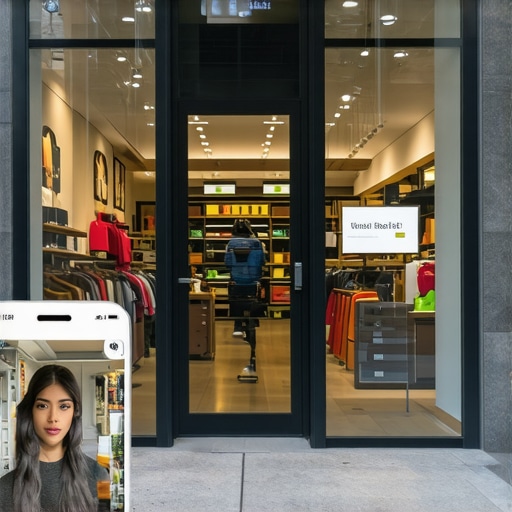
How to Prove Your Physical Store Location Using Specific Image Metadata
Fahed Awan – Local SEO Expert. I help local businesses to rank on the google map pack. My main expertise includes On-page SEO, Google Business Profile creation, optimization, and ranking.
Section 1: The Digital Fingerprint of Your Physical Store
In the highly competitive world of local search, simply listing an address on your website is no longer enough to guarantee a spot in the coveted 3-pack. As we move further into 2026, Google’s algorithms have become significantly more sophisticated. They are no longer just looking for a text-based claim of where your business resides; they are looking for “proof of life.” This is where google business profile seo takes a turn into the technical realm of digital forensics. To truly dominate your local market, you must provide Google with a digital fingerprint that confirms your physical presence.
Many business owners assume that if they have a verified postcard, their location is set in stone. However, with the rise of “ghost offices” and sophisticated spam techniques, Google now utilizes a multi-layered verification process known as the “Proximity, Relevance, and Prominence” algorithm. Proximity is the most volatile of these factors because it relies on the user’s location relative to the business. To solidify your proximity score, you need to provide hard data that anchors your business to a specific set of coordinates. Image metadata serves as this anchor.
Every photo you take with a modern device contains hidden layers of information. When you upload these photos to your profile, you aren’t just showing customers what your storefront looks like; you are feeding Google’s AI structured data that confirms exactly where and when that photo was taken. If your metadata consistently aligns with your stated address, you build a level of trust that a text-only profile cannot match. Understanding The Hidden Signal in Your Physical Address That Prevents a 3-Pack Rank is the first step in realizing that your physical location needs digital validation to rank effectively.
Section 2: Understanding EXIF, IPTC, and XMP
To master google business profile optimization, you must understand the three primary types of metadata embedded within your digital images. These are not just technical acronyms; they are the containers for the trust signals Google craves.
EXIF (Exchangeable Image File Format)
EXIF data is the most common form of metadata. It is automatically generated by your camera or smartphone at the moment the shutter clicks. It includes technical details such as the camera model, aperture, shutter speed, and, most importantly, GPS coordinates (latitude and longitude). For local SEO, EXIF data is the “where” and “when.” When Google sees EXIF data that matches your business coordinates, it confirms the photo was taken on-site, not pulled from a stock photo library.
IPTC (International Press Telecommunications Council)
While EXIF covers the technical side, IPTC covers the descriptive side. This standard was originally created for news organizations to add captions and credits to photos. In the context of SEO, IPTC allows you to embed your business name, keywords, and a description directly into the image file. This data stays with the image regardless of where it is hosted, making it a powerful tool for google maps seo tools to scan and index.
XMP (Extensible Metadata Platform)
XMP is a newer standard developed by Adobe. it is designed to be more flexible and can contain both EXIF and IPTC information, along with custom properties. XMP is particularly useful because it is more resilient to certain types of file compression and editing. By utilizing all three formats, you ensure that your “digital fingerprint” is robust and readable by Google’s crawlers. Utilizing advanced SEO Viper Tools can help you audit these fields to ensure they are properly populated before you upload your assets to the web.
Section 3: Why Geotagging is the Ultimate “Trust Signal” in 2026
As we navigate the landscape of 2026, the local search algorithm has evolved to include “Environmental Sensors.” Google is no longer just looking at your IP address or your GPS; it is cross-referencing WiFi density, 6G signal triangulation, and the metadata of the images being uploaded by both the business owner and the customers. Geotagging has become the ultimate trust signal because it is difficult to fake at scale.
When you consistently upload geotagged images, you are helping your business rank higher on google maps by proving “Relevance” and “Proximity” simultaneously. If a plumber in Austin, Texas, uploads a photo of a completed job, and that photo contains GPS coordinates for a residential street in Austin, Google connects that business’s service area to a real-world event. This is far more powerful than simply listing “Austin” as a service area in the dashboard.
Google’s AI, specifically its Vision API, can now “read” the environment in a photo. It recognizes landmarks, street signs, and even the architectural style of a neighborhood. When this visual recognition is paired with matching GPS metadata, the trust score of the Google Business Profile skyrockets. This is why businesses that ignore metadata often find themselves stuck on page two, regardless of how many reviews they have. To see how this fits into a broader visual strategy, check out 5 Simple Photo Tweaks That Actually Improve Local Pack Visibility.
Section 4: Step-by-Step: How to Embed Location Metadata
Proving your location through metadata is a process that requires precision. Here is a step-by-step guide to ensuring your photos are optimized for google business profile optimization.
Step 1: Capture the Data at the Source
The easiest way to get accurate metadata is to take the photos using a smartphone with “Location Services” enabled for the camera app. This automatically embeds the GPS latitude and longitude into the EXIF data. If you are hiring a professional photographer, ensure they do not “strip” the metadata during the export process from Lightroom or Photoshop.
Step 2: Verify Existing Metadata
Before uploading, you need to know what is already there. You can use industry-standard tools like ExifTool by Phil Harvey (a command-line power tool) or a browser-based solution like GeoImgr. Simply drop your photo into the tool to see if the GPS coordinates match your physical storefront. If the coordinates are missing or incorrect, you must fix them before the photo goes live.
Step 3: Optimize with NAP and Keywords
Once you have the coordinates, you should add your NAP (Name, Address, Phone Number) data. Open the image properties (or use a dedicated tool) and fill in the “Description” or “Comments” field. For example: “John’s Plumbing – 123 Main St, Austin, TX 78701 – (512) 555-0199. Providing expert drain cleaning in Austin.” This embeds your primary keyword and location directly into the file. Using specialized local seo software can automate this process for large batches of images.
Step 4: Direct Upload to Google Business Profile
The final step is the upload. Do not send these photos through WhatsApp or upload them to Facebook first, as these platforms often strip metadata to protect user privacy. Upload the original, optimized file directly to the “Photos” section of your Google Business Profile. This ensures that the google business profile seo signals remain intact and readable by Google’s local search bots.
Section 5: The “Big Three” Metadata Fields You Must Fill
While there are hundreds of metadata fields, three are absolutely critical for local map pack seo. If you focus on these, you will be ahead of 90% of your competition.
- GPS Latitude & Longitude: This is the non-negotiable field. It tells Google exactly where the photo was taken. In 2026, Google uses this to verify the “Proximity” pillar of its algorithm. If your photos are consistently tagged at your business location, Google views your business as a permanent, reliable fixture in that community.
- Image Description/Caption: This is where you bridge the gap between “location” and “relevance.” Use this field to describe the service being performed and include your city. Instead of “IMG_1234.jpg,” your metadata description should say “Emergency roof repair in Seattle by Smith Roofing.” This helps you rank google business profile for specific service-based queries.
- Author/Creator/Copyright: Set this to your legal business name. This reinforces your brand’s authority and connects the image to your entity in the Knowledge Graph. It’s a small detail that helps Google’s algorithm understand that the content is original and owned by the business, further increasing the “Prominence” score.
Failing to optimize these fields is a missed opportunity, much like choosing the wrong category for your business. For more on how these foundational elements interact, read about Why Your Primary Category Selection Is Likely Sabotaging Your Search Rank.
Section 6: Common Pitfalls: Why Your Metadata Might Be Ignored
Even with the best intentions, many businesses fail at metadata because of common technical traps. The most frequent error is “Metadata Stripping.” As mentioned earlier, most social media platforms and even some website CMS plugins automatically remove metadata to reduce file size or protect privacy. If you take a perfectly geotagged photo, post it to Instagram, and then download it from Instagram to put on your Google Business Profile, the GPS data is likely gone. Always use the original source file.
Another pitfall is “Keyword Stuffing” the metadata. While it is tempting to put fifty keywords into the IPTC description, Google’s AI is smart enough to recognize spammy behavior. If the metadata looks like it was written for a bot rather than a human, it may be ignored or, worse, flagged as a negative signal. Keep your descriptions natural and focused on the specific image.
Finally, ensure your metadata doesn’t contradict your other “trust signals.” If your metadata shows you are taking photos in a different city than your registered address, it can trigger a manual review or a suspension. Google is looking for consistency. If you find yourself in a situation where your profile is flagged, you will need to know The 3 Specific Documents You Must Upload to Overturn a Profile Suspension to get back into the map pack.
Consistency across all google maps optimization service efforts is key. Metadata is a supporting signal; it works best when it reinforces your NAP, your category, and your website content.
Section 7: Conclusion & The Path to the 3-Pack
In the modern era of local search, metadata is no longer an “optional” extra; it is a foundational requirement for any serious google maps seo strategy. By taking the time to ensure your photos contain accurate GPS coordinates, descriptive IPTC data, and clear authorship, you are providing Google with the evidence it needs to trust your business’s location and relevance.
As the algorithm continues to lean into environmental sensors and AI-driven visual verification, those who master the “digital fingerprint” will continue to outpace those who rely on outdated text-only methods. Start by auditing your current photo gallery. Are your images working for you, or are they just empty files? Use a google business profile audit tool to identify gaps in your visibility and start embedding the trust signals that will help you rank in the google map pack.
Remember, Local SEO is a game of inches. Metadata might seem like a small detail, but in a world where everyone is fighting for the same three spots, it is often the deciding factor that pushes you to the top. Take control of your data, prove your location, and watch your rankings climb.